
The Sahifa News & Magazine Theme is one of the most popular and long-standing WordPress themes for news websites, online magazines, and blogs. Known for its speed, flexibility, and ease of use, Sahifa has remained a top choice for publishers who want a professional layout without complex setup.
What Is the Sahifa News & Magazine Theme?
The Sahifa Theme (Live Preview) is a premium WordPress theme created by TieLabs, designed specifically for digital publishers who need a flexible, professional, and highly customizable platform for delivering news, articles, and multimedia content. Launched years ago and refined through continuous updates, Sahifa has become one of the most trusted and best-selling news/magazine themes in the WordPress ecosystem.
Unlike general-purpose themes that try to serve many unrelated use cases, Sahifa is purpose-built for content-driven websites. It focuses on readability, structured layouts, fast performance, and powerful tools tailored to journalists, editors, bloggers, and media companies.
How To Install the Sahifa News & Magazine Theme?
To install this theme, first you need to download it below. To successfully download the theme you need to be registered on our site and logged-in (it’s free).
Download the Sahifa News & Magazine Theme (Free)
Simply click the button below to start your download.
If our work has helped you build, learn, or grow, please consider supporting the project with a donation.
Installing the Sahifa News & Magazine Theme
Login to your website through https://yourdomain.com/wp-admin.
Now you’re logged in to your WordPress dashboard and will see the following screen:
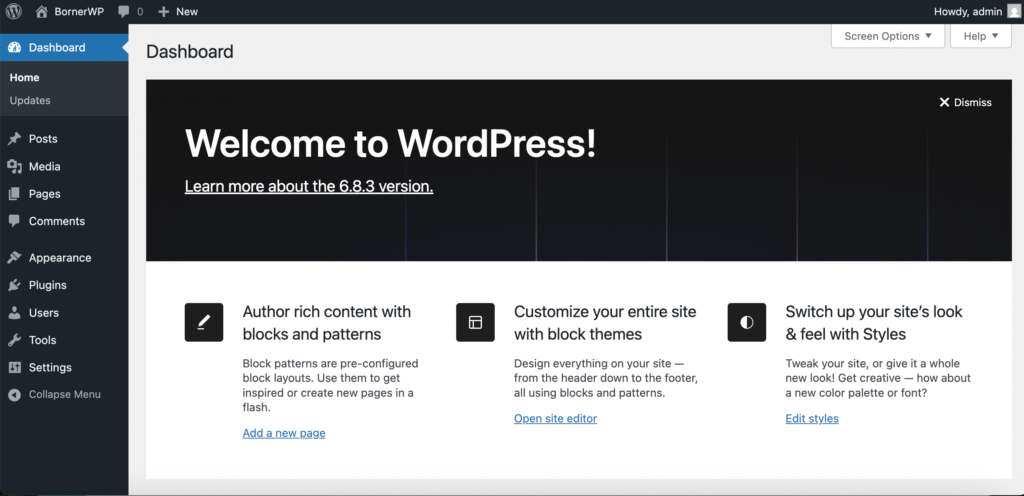
Click on ‘Appearance’ and you will see a list of installed and active themes.
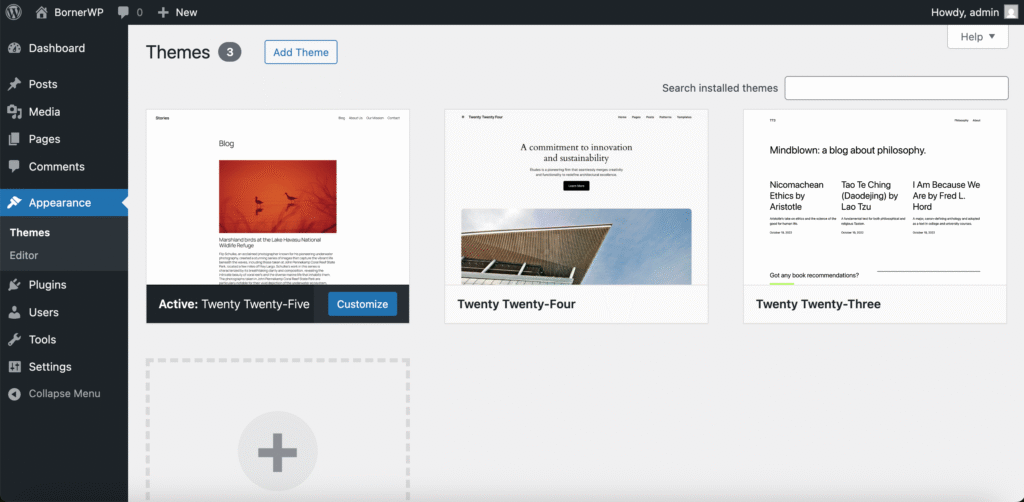
As you can see, WordPress comes with some pre-installed themes such as the Twenty Twenty-Five, the Twenty Twenty-Four and the Twenty Twenty-Three theme(s).
To install and activate the Sahifa News & Magazine theme, click on ‘Add Theme’.
On this screen you will see some free themes you can install, or uploading your own theme by clicking on ‘Upload Theme’.
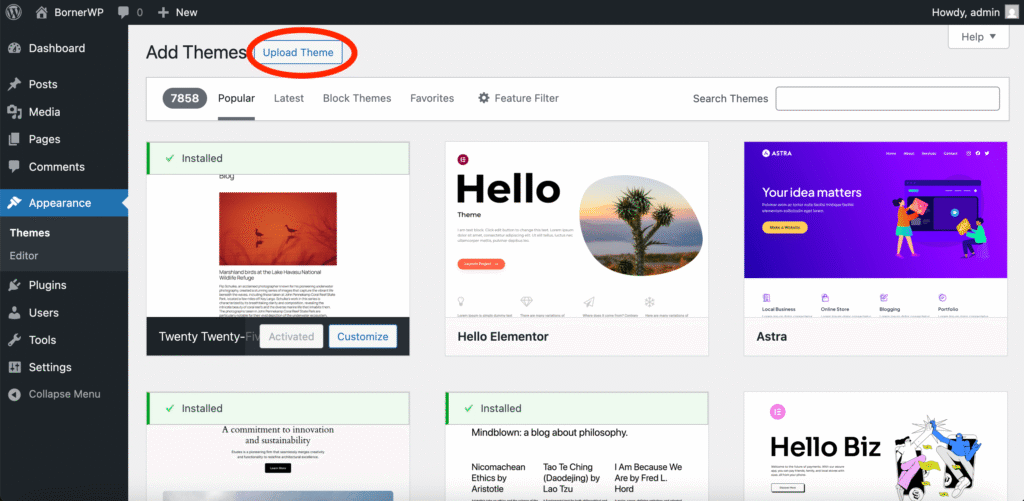
Click the right button, as shown in the image above. By doing so, you will see a new option that says;
If you have a theme in a .zip format, you may install or update it by uploading it here.
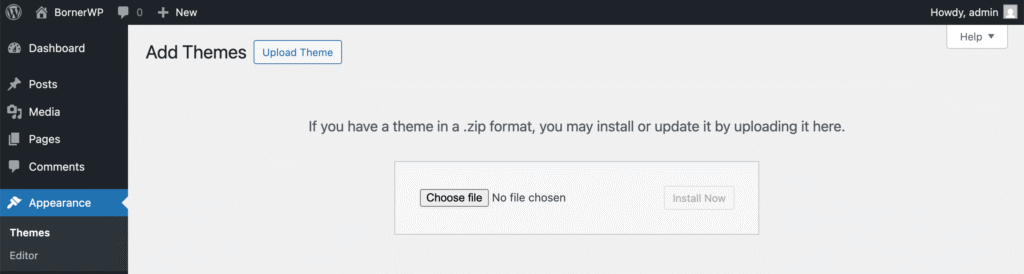
Drag-and-drop the correct zip file here, or click on ‘Choose file’ and select the the Sahifa News & Magazine Theme and click on ‘Install Now’.
After uploading the correct file you will see the following screen:
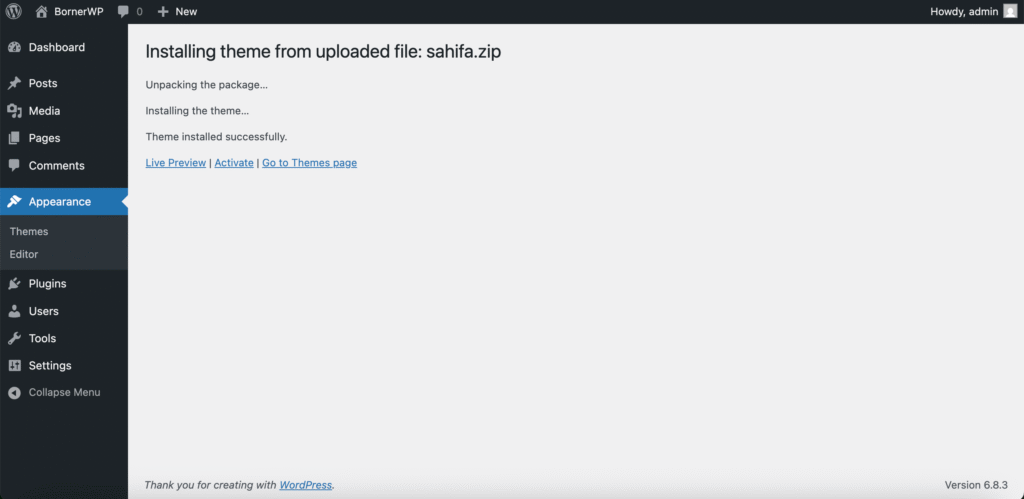
Next, click on ‘Activate’ and you are ready to go.
After successfully installing and activating the Sahifa News & Magazine theme, you will see a new option on your left menu called: ‘Sahifa’.
You can then proceed to customizing your theme!
Conclusion
The Sahifa News & Magazine Theme remains one of the most reliable and feature-rich WordPress themes for publishers who want a fast, flexible, and professional online presence.
Its combination of clean design, powerful customization tools, and performance-focused optimization makes it an excellent choice for blogs, online magazines, and full-scale news portals alike.
Whether you’re a beginner launching your first content website or an established publisher looking for a stable, long-term solution, Sahifa offers the balance of usability, functionality, and scalability that modern digital media demands.
With its lightweight page builder, advanced theme options, built-in review system, and seamless integration with plugins like WooCommerce, bbPress, and BuddyPress, Sahifa provides everything needed to create a polished, engaging, and easy-to-navigate site.
Its commitment to speed and mobile responsiveness also ensures a smooth user experience across all devices, an essential factor in today’s competitive online landscape.
Are you ready to build your next great online publication with Sahifa?
Leave a Reply